
Select Tools > Options
Click on the Viewer tab.
You will see a list of file types in a box called Bypass Viewer for these File Types. Underneath this list is a text box where you can enter in the extension of the File Type you want the viewer to bypass. Click the Add button to add it to the list.
Once the File Type has been added to the list, you can choose whether to have it open in Internet Explorer, or with the application normally associated with the File Type (eg Word).
Click Ok to save your additions.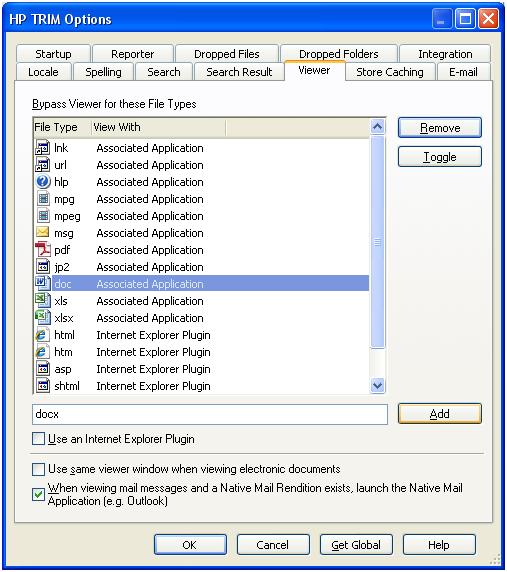
No Comments so far ↓
Comments are closed.